Can You Disable Mindfulness on Apple Watch?
You can turn off Mindfulness on Apple Watch by disabling its reminders, switching off its notifications, or deleting the app if you never use it. Start with the reminder toggles first, because a single active Start of Day, End of Day, or custom reminder is usually what keeps the Breathe prompts coming back.
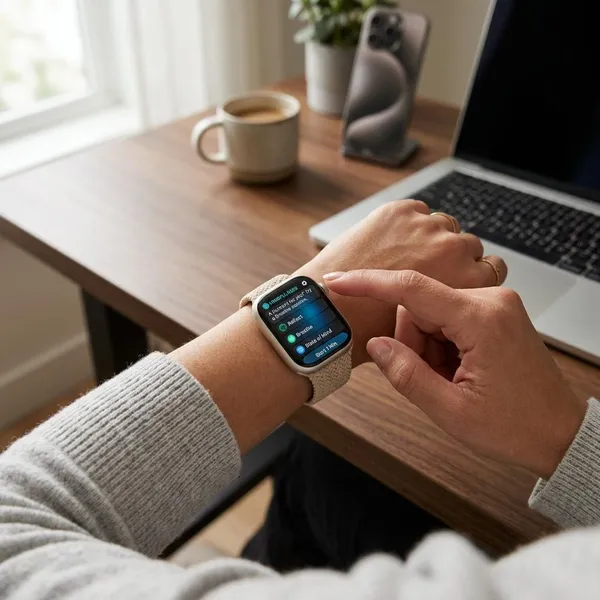
How to Turn Off Mindfulness on Apple Watch
The watch itself is the quickest place to make the basic change, especially if you only want the reminders to stop while keeping the app installed. Open Settings on your Apple Watch, scroll to Mindfulness, and check every reminder option in that menu.
Turn off daily reminders
In the Mindfulness settings, turn off the daily reminder options such as Start of Day and End of Day. If your watchOS version uses slightly different wording, look for the switches tied to scheduled breathing or reflection prompts.
This is the right fix if you like having Mindfulness available but do not want your watch nudging you during work, while driving, or first thing in the morning.
Turn off weekly summaries
Weekly Summary is separate from the daily prompts, so it can still appear even after the usual reminders are disabled. In the same Mindfulness menu, switch off Weekly Summary if you do not want a recap of mindfulness minutes or usage.
Disable Mindfulness notifications
If reminders are off but Mindfulness still interrupts you, move from reminder settings to notification settings. Depending on your watchOS version, you may find this under Settings > Notifications on the watch, or you may need to manage it from the Watch app on your iPhone.
- Use reminder toggles if you only want scheduled prompts gone.
- Use notification settings if you want Mindfulness to stop sending alerts entirely.
- Keep the app installed if you may still start a session manually.
Silence reminders for the day
For a temporary break, use a Focus mode such as Do Not Disturb instead of changing all Mindfulness settings. That works well for a meeting-heavy day, a flight, or an evening when you simply want fewer wrist taps without deleting anything.
If a Mindfulness alert appears and your watch offers a mute or manage option from the notification itself, use that shortcut; availability can vary by watchOS version.
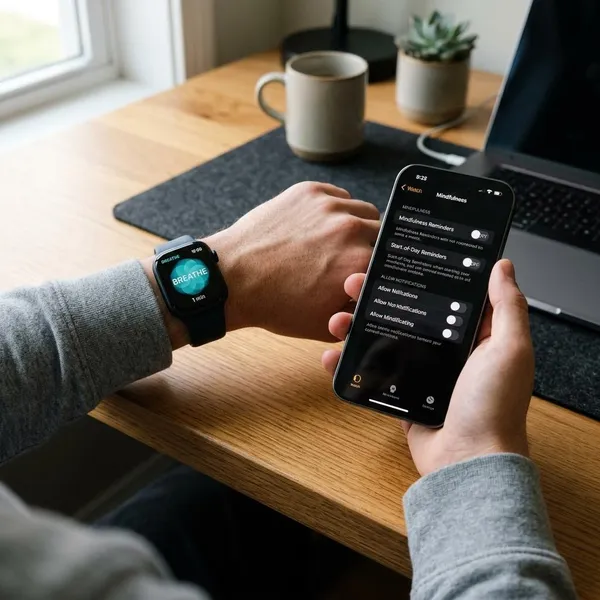
How to Turn Off Mindfulness From Your iPhone
The iPhone Watch app is usually easier when you want to check everything in one place. It is also the better route if the watch menu looks different from instructions you have seen elsewhere, because Apple sometimes changes labels between watchOS versions.
Open the Watch app
Unlock your iPhone and open the Watch app. Stay on the My Watch tab, and make sure you are changing settings for the Apple Watch you currently wear if more than one watch has been paired before.
Tap Mindfulness
Scroll through the My Watch settings until you find Mindfulness, then tap it. This is where Apple normally groups the reminder controls for Breathe-style prompts, reflection prompts, and summary alerts.
Turn off reminders
Switch off every reminder you do not want, not just the first one you see. The usual checklist is:
- Start of Day
- End of Day
- Custom reminder times
- Weekly Summary
If you are trying to stop all Breathe prompts, custom reminders matter most after the two default daily reminders. One forgotten lunchtime reminder can make it seem as if nothing changed.
Disable notifications
For a stricter setup, open the notification controls for Mindfulness in the Watch app and turn alerts off. If you see options such as mirroring iPhone settings or using custom settings, choose the option that lets you directly disable Apple Watch alerts.
Give the watch a short moment to sync after changing this. If a prompt appears immediately afterward, keep the iPhone and watch close together, then restart both devices before assuming the setting failed.
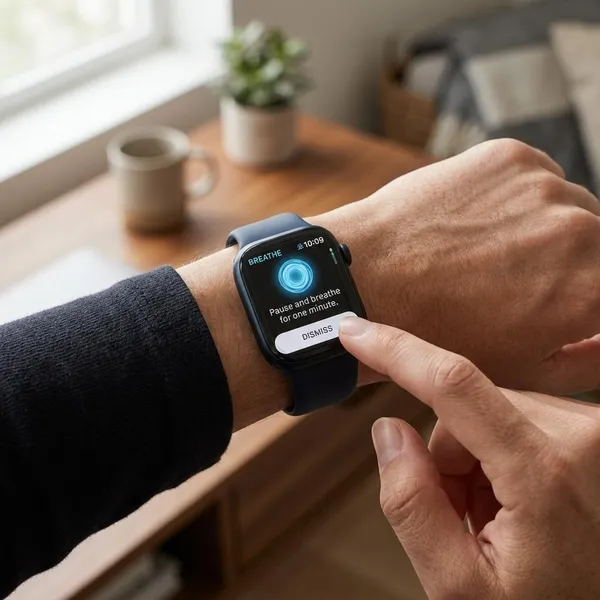
How to Stop Breathe Reminders on Apple Watch
Breathe reminders now live under Mindfulness, so do not look for a separate Breathe app setting on newer versions of watchOS. The cleanest approach is to remove the scheduled prompts first, then only disable notifications if you still get unwanted alerts.
Turn off start-of-day reminders
Open Mindfulness settings on the watch or in the iPhone Watch app, find Start of Day, and turn it off. This is often the setting behind morning Breathe prompts, so check it first if your watch buzzes soon after you put it on.
Turn off end-of-day reminders
Find End of Day in the same Mindfulness area and disable it. This is useful if your Apple Watch tends to interrupt you near bedtime, during a wind-down routine, or while Sleep Focus is not yet active.
Remove custom reminders
Custom reminders are the easiest ones to miss because they may have been added months ago. Look for any manually scheduled reminder times and remove each one you no longer want.
- Midday prompts can look like random interruptions.
- Work-break reminders may still run after your schedule changes.
- Duplicate times can make alerts feel more frequent than expected.
Keep Mindfulness without alerts
You do not need to delete Mindfulness just to stop Breathe reminders. If you occasionally use breathing sessions after exercise, during travel, or before sleep, keep the app installed and turn off reminders plus notifications instead.
That middle-ground setup is usually best for light users: the app is still there when you want it, but it no longer decides when to interrupt you.
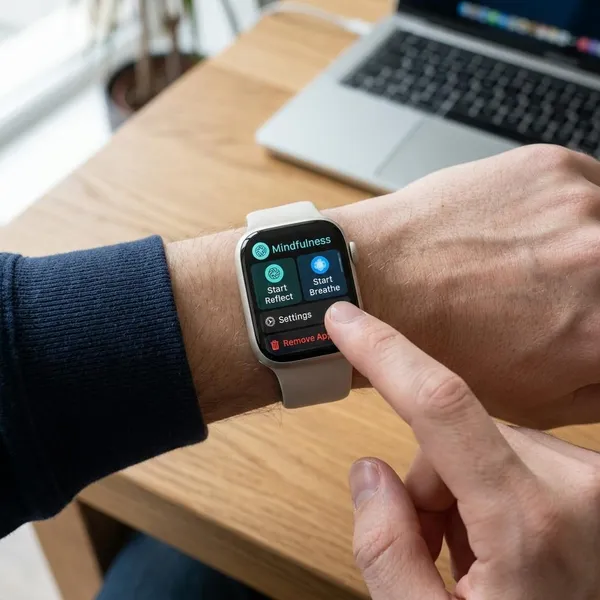
How to Remove Mindfulness From Apple Watch
If you never open Mindfulness and want a cleaner app screen, deleting it can be simpler than managing every alert setting. This is the better choice for someone who wants the feature gone completely, while reminder and notification controls are better if you may use it again.
Open the app screen
Press the Digital Crown on your Apple Watch to open the app screen. You may see either grid view or list view; use whichever layout makes it easier to find apps by name or icon.
Find Mindfulness
Look for Mindfulness, not Breathe. Apple renamed the older Breathe experience, so the setting or app name may not match older instructions you remember.
Delete the app
In grid view, press and hold the Mindfulness icon, then use the delete option if it appears. In list view, swipe left on Mindfulness and choose the delete button if your watch offers one.
If there is no delete option, do not force it. Some watchOS versions, device setups, or managed watches may limit what can be removed, and in that case disabling all reminders and notifications is the practical fallback.
Reinstall it later if needed
Removing Mindfulness is not necessarily permanent. If you later decide you want the app back, check the App Store on your Apple Watch or manage Apple Watch apps from your iPhone, depending on what your software version allows.
Why Mindfulness Reminders Keep Appearing
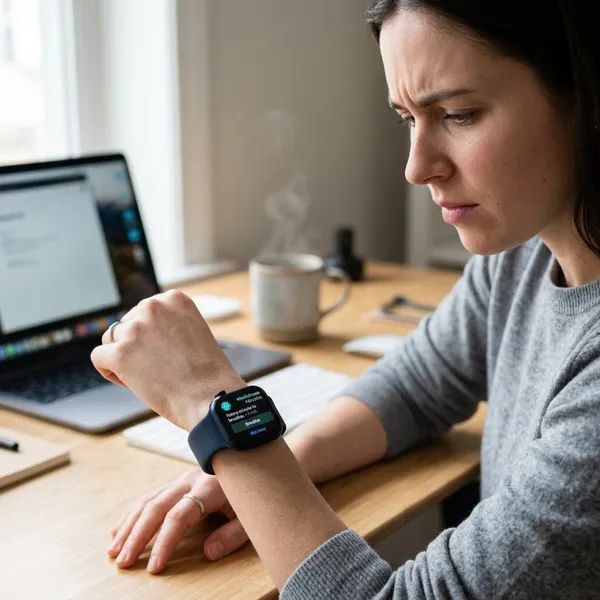
When Mindfulness reminders keep showing up, the problem is usually not mysterious: one alert source is still active, the iPhone and watch have not matched settings yet, or the software needs a refresh. Check in that order before spending time on deeper troubleshooting.
Some reminders are still enabled
Go back through Mindfulness settings and check every reminder type, including Weekly Summary and custom times. The common mistake is turning off Start of Day and End of Day while leaving one custom reminder active.
Watch and iPhone settings are different
A setting changed on the watch may not immediately look the same in the iPhone Watch app, and the reverse can also happen. If the reminder matters enough to be annoying, check both places instead of trusting only one screen.
This is especially worth doing after a watchOS update, a new iPhone pairing, or restoring from a backup.
Settings have not synced
Keep your iPhone and Apple Watch close together, make sure Bluetooth and Wi-Fi are on, and wait a few minutes. If another reminder still appears, restart the Apple Watch first, then restart the iPhone if needed.
- Confirm reminders are off in the Watch app.
- Confirm the same setting on the watch.
- Restart the watch if the alert continues.
watchOS needs updating
If settings are missing, labels look different, or changes will not stick, check for a watchOS update in the iPhone Watch app under General > Software Update. Update only when the watch is charged and connected, because software changes can affect where Apple places these controls.

Conclusion
The best fix depends on how much of Mindfulness you still want: turn off reminders for fewer prompts, disable notifications for a quieter watch, or delete the app if you never use it. If one Breathe alert keeps coming back, check custom reminders before anything else, because that small leftover setting is often the real cause.