How to Delete a Workout on Your Apple Watch
If you've ever found yourself asking, “Can I delete a workout on my Apple Watch?” the answer is yes! Whether you’ve accidentally started a workout, or just want to clear up some data, deleting workouts is easy to do. In this guide, we'll walk you through the steps to delete workouts from both your Apple Watch and iPhone. Let’s dive into how to manage your fitness data with ease.

Important Notes About Deleting Workouts
Before we jump into the steps, it's essential to know how deleting workouts affects your fitness data. While it’s simple to remove a workout, there are a few things to consider before doing so:
What Happens to Your Fitness Data
When you delete a workout on your Apple Watch, that specific session is erased from your workout history. However, your overall fitness data—like total calories burned, heart rate, and exercise minutes—may remain in the Health app. So, deleting a workout won’t remove all your progress or stats, just that one particular workout session.
Deleting Workouts Won’t Affect Your Health Records
Your Health app tracks your long-term fitness data, so deleting a workout won’t mess with your overall health records. If you’ve completed several workouts, only the one you delete will be removed from your records. This is great because you don’t lose any progress toward your health goals.
How to Delete a Workout on Apple Watch
Now that you know what happens when you delete a workout, let’s look at how you can do it. There are a few ways to delete workouts, whether you prefer using your Apple Watch or iPhone. Here’s a breakdown of each method:
Using the Fitness App on iPhone
If you prefer managing your workouts from your iPhone, here’s how you can delete a workout using the Fitness app:
- Open the Fitness app on your iPhone.
- Go to the Summary tab, where you'll see all your workouts.
- Find the workout you want to delete and tap on it.
- Scroll down and tap on Delete Workout.
This method is quick and easy, especially if you like to keep everything organized on your phone.

Using the Health App on iPhone
Another way to delete a workout is through the Health app. This method is useful if you want to delete specific health data:
- Open the Health app on your iPhone.
- Tap on Browse and select Activity.
- Tap on Workouts to see your workout history.
- Swipe left on the workout you want to remove and tap Delete.
This method is perfect for users who keep a close eye on all their health data in the Health app.
From the Apple Watch Workout App
If you want to delete a workout directly from your Apple Watch, you can do that too:
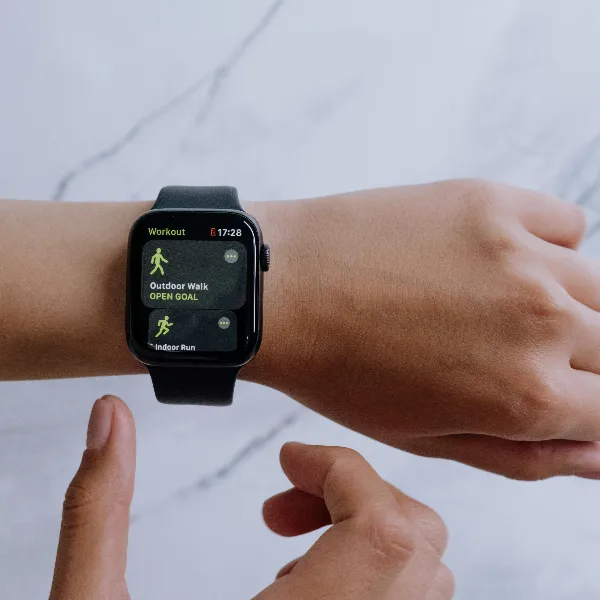
- Open the Workout app on your Apple Watch.
- Scroll down and find the workout you want to delete.
- Tap Edit and then tap Delete.
This method is helpful if you're on the go and don’t have access to your iPhone. It's an easy way to delete a workout in a few taps.
Can You Recover a Deleted Workout?
Once you delete a workout, it’s gone. But if you want to recover it, there are a couple of ways you might be able to restore the data.
Restoring Data from iCloud
If you've backed up your data with iCloud, you can restore your workout data from a previous backup:
- Make sure your Apple Watch is synced with iCloud.
- Restore your Apple Watch to an earlier backup where the workout was still saved.
- Your deleted workout data should reappear after the restore.
While this isn’t always ideal, iCloud backup can help recover deleted workouts in case you need to bring back lost data.
Using Third-Party Recovery Tools
Some third-party apps may offer data recovery services for Apple Watch users. These tools can help you recover deleted workouts or other fitness data, although it’s important to use reliable tools to avoid any security issues. Be sure to choose recovery apps carefully.
Common Issues When Deleting Workouts
Although deleting workouts is usually a smooth process, there are some common problems you might encounter. If you face any issues, here’s how to solve them:

What to Do If a Workout Won’t Delete
If you’ve tried to delete a workout but it keeps coming back or just won’t delete, don’t worry! Here are a few things you can try:
- Restart your devices: Sometimes, a simple restart of your Apple Watch and iPhone can resolve syncing issues.
- Check for software updates: Ensure both your iPhone and Apple Watch are up to date. Software bugs related to deleting workouts are sometimes fixed in new updates.
- Force quit the apps: Close the Fitness or Health app on your iPhone and then reopen it. Try deleting the workout again after restarting the app.
These quick fixes can help you troubleshoot workout deletion issues.
Fixing Syncing Issues Between iPhone and Apple Watch
If your workout data isn’t syncing properly between your iPhone and Apple Watch, it can affect the deletion process. To fix this, follow these tips:
- Ensure Bluetooth is on: Check that Bluetooth is enabled on both your Apple Watch and iPhone.
- Force a sync: Open the Watch app on your iPhone and ensure it’s syncing correctly with your Apple Watch.
- Manually sync: Open the Workout app on your Apple Watch to trigger a manual sync with your iPhone.
These steps should help sync your devices and allow you to delete workouts without any problems.
Conclusion
So, can you delete a workout on your Apple Watch? Absolutely! Whether you're using the Apple Watch or the iPhone, it’s simple to remove any unwanted workouts. Deleting a workout won’t affect your overall health records or fitness goals, so you can manage your data without worries. If you need to recover any deleted data, you can try using iCloud or third-party recovery tools. For more tips on maximizing your Apple Watch’s fitness features, learn more about Apple Watch features here.