Why Is My Apple Watch Not Counting My Steps Correctly?
If you’ve found that your Apple Watch isn’t counting your steps correctly, you’re not alone. Many users experience issues with step tracking that can range from missing steps to over-counting. But don’t worry, this problem can often be fixed with a few simple adjustments. Let’s dive into why this happens and how to get your step tracking back on track!
Why Step Tracking Is Inaccurate
Apple Watch tracks your steps using a combination of motion sensors and GPS. However, sometimes it doesn't do this as accurately as we’d like. Let’s look at a few reasons why this might happen.
Impact of GPS and Motion Sensors
Your Apple Watch uses both GPS and motion sensors to track your steps. If you're in an area with poor GPS signal, like indoors or surrounded by tall buildings, the accuracy of step counting can suffer. Also, the motion sensors track your wrist's movement. If you're walking slowly or if your arms are still, the watch may miss some steps.
Errors in Stride Length and Personal Info
The Apple Watch also relies on personal details like your height, weight, and stride length to estimate the distance walked. If any of this information is wrong, it can cause the watch to miscalculate steps or distance. Make sure your details are updated in the Health app to get the most accurate readings.
Quick Fixes for Accurate Step Counting
If your Apple Watch isn’t counting steps properly, there are a few simple fixes that can help you get more accurate readings. Let’s go through them one by one.
Calibrate Your Apple Watch
Calibrating your Apple Watch can help improve step counting accuracy. Calibration allows the watch to learn your walking patterns. To do this:
- Go to a flat, open space.
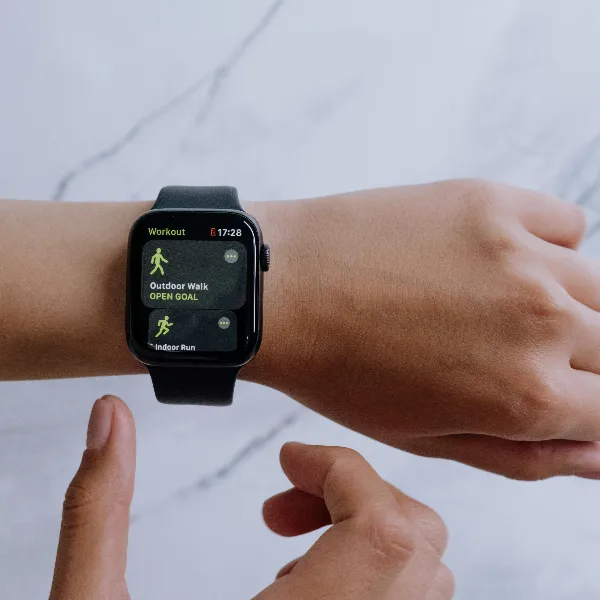
- Open the Workout app and choose an Outdoor Walk or Outdoor Run workout.
- Walk for about 20 minutes at your usual pace.
This process helps the watch adjust its algorithms based on your movement and improves accuracy.
Check the Fit and Position of Your Watch
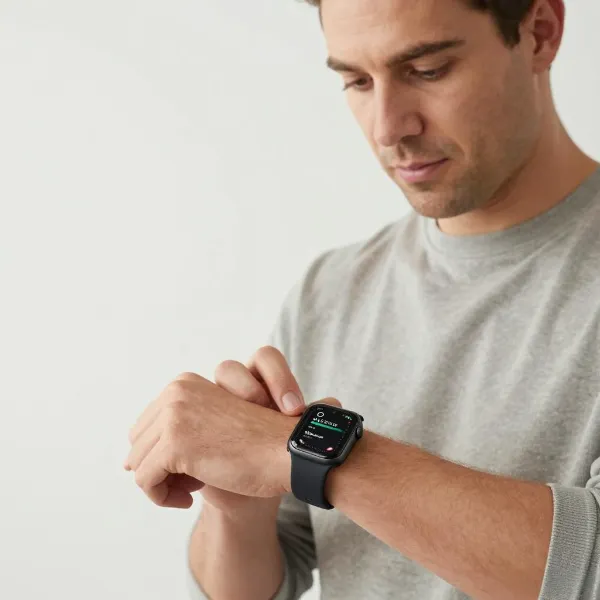
If your Apple Watch is too loose or too tight, it might not track your steps accurately. The watch should be snug on your wrist but not too tight. If the watch slides around too much, the sensors might not be able to detect your steps properly.
Update Your Info in the Health App
Your Apple Watch uses information like your height and weight to estimate your steps and distance. If any of these details are incorrect, the step tracking might be off. Open the Health app on your iPhone, check your information, and update it if necessary.
Enable Motion Calibration & Distance
Make sure that Motion Calibration & Distance is enabled on your Apple Watch. This feature fine-tunes step tracking and distance calculations based on your personal movement patterns. Here’s how to enable it:
- Open Settings on your Apple Watch.
- Go to Privacy > Motion & Fitness.
- Make sure both “Fitness Tracking” and “Motion Calibration & Distance” are turned on.
Restart Your Devices
Sometimes, a simple restart is all it takes to fix issues with step tracking. Try restarting both your Apple Watch and iPhone to refresh their connections and reset any errors in the system.
Check iPhone Connection with Older Models
If you're using an older iPhone model with your Apple Watch, there may be connection issues that affect step tracking. Make sure that Bluetooth is enabled on both devices and that they’re properly paired. If the issue persists, try unpairing and then pairing them again.
When to Reset Fitness Calibration Data
If step tracking is still inaccurate after trying the basic fixes, resetting your fitness calibration data can help. Here are some situations when it might be necessary to reset the data:
When You Notice Inconsistent Tracking
If you notice your Apple Watch consistently undercounts or overcounts your steps, it might be time to reset your calibration data. Inaccurate tracking over an extended period is a sign that a reset is needed.
After Software Updates or Device Changes
If you’ve recently updated your watchOS or paired your Apple Watch with a new iPhone, the calibration data might not be accurate anymore. Resetting the fitness calibration data can restore step tracking accuracy.
To reset the data:
- Open the Watch app on your iPhone.
- Go to My Watch > Privacy > Reset Fitness Calibration Data.
- Confirm the reset and follow the prompts.
Advanced Troubleshooting Tips
If none of the basic fixes work, try these advanced troubleshooting methods to improve step tracking accuracy.
Use the Workout App for Accurate Data
If you’re doing a specific activity like walking or running, using the Workout app can give you more accurate step counts. The Workout app is designed to track data more precisely for activities, offering more reliable results.
Monitor Battery and Watch Performance
A low battery or slow performance could affect your Apple Watch’s ability to track steps correctly. Make sure your watch is fully charged and that it's performing optimally. If the watch is sluggish, try closing unused apps and restarting the device.
Conclusion
Wondering why is my Apple Watch not counting my steps correctly? There are several factors that can cause inaccuracies, from GPS signal issues to incorrect calibration data. Luckily, there are simple solutions to fix these problems, such as recalibrating your watch, updating personal information, and ensuring the watch is fitted properly. Follow the tips in this guide to improve your step tracking and get back to enjoying accurate fitness data.